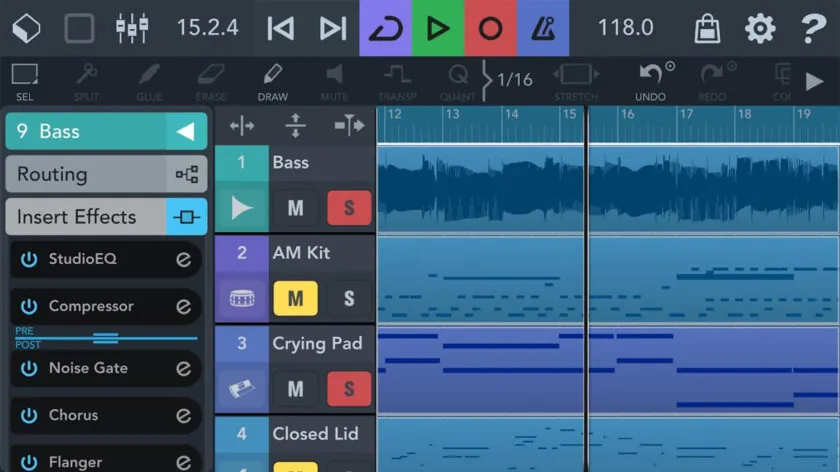
Podcasts have become a valuable communication channel for businesses. From thought leadership to customer engagement, they offer a direct way to share insights and build relationships. For business professionals, however, finding time and resources to produce high-quality episodes can be a challenge. Traditional studio setups and complex editing software often don’t fit into busy schedules. Fortunately, mobile tools like AudioLab make it possible to record, edit, and publish episodes from anywhere, without sacrificing quality.
Why Business Podcasts Are Growing
In recent years, podcasts have moved from being a niche medium to a mainstream business tool. Companies use them to discuss industry trends, interview experts, and share brand stories. They offer a personal and authentic way to connect with audiences. A well-produced business podcast can:
- Establish authority in a specific field.
- Provide valuable insights to clients and prospects.
- Strengthen internal communication for employees.
- Serve as an ongoing marketing and branding asset.
With more professionals listening to podcasts during commutes, workouts, and travel, businesses have a prime opportunity to reach audiences in a convenient, engaging format.
The Challenge of Producing Business Podcasts
While the benefits are clear, producing a podcast involves several steps—planning, recording, editing, and publishing. Many business teams struggle with:
- Limited access to professional recording equipment.
- Scheduling conflicts that make studio sessions difficult.
- Tight deadlines for releasing timely content.
- Lack of in-house technical expertise for editing.
These challenges can slow down production and lead to missed opportunities for sharing relevant and timely content.
The Shift to Mobile Podcast Production
Mobile audio tools have changed the game for content creators. Instead of relying on a fixed studio, business podcasters can now carry their production setup in their pocket. Modern smartphones, paired with powerful editing apps, allow you to:
- Record interviews on-site at events or conferences.
- Edit episodes while traveling.
- Publish content quickly to maintain a consistent schedule.
This mobility means you can capture valuable conversations and insights in real time, rather than recreating them later in a formal setting.
Introducing AudioLab
AudioLab is a feature-rich audio editing app for Android devices that makes on-the-go podcast production accessible and efficient. It combines professional capabilities with an intuitive interface, making it ideal for business teams that need to produce polished episodes without spending hours learning complex software.
Key features that benefit business podcasters include:
- High-Quality Voice Recording: Capture clear audio directly in the app, with options to monitor and adjust levels.
- Noise Remover: Eliminate background sounds like office chatter or event noise for a professional finish.
- Audio Trimming and Cutting: Edit out pauses, mistakes, or off-topic sections to keep episodes concise.
- Stem Separation: Split voices from background audio for better control over the final mix.
- Mixing Tools: Combine interviews, music, and branded intros/outros seamlessly.
- File Conversion: Export episodes in the right format for podcast platforms.
Step-by-Step: Producing a Business Podcast Episode with AudioLab
Step 1: Plan the Episode
Outline your topics, questions, and any guest contributions. Having a clear structure makes recording and editing easier.
Step 2: Record Your Content
Open AudioLab’s voice recorder and capture your episode. Use a quiet location when possible, or pair your phone with a quality external microphone for even better results.
Step 3: Clean the Audio
Use the Noise Remover to filter out any background sounds. This is especially useful if you recorded in a less-than-ideal environment like a trade show floor or a busy office.
Step 4: Edit for Clarity
Trim sections that are off-topic, repetitive, or contain errors. Keep the episode focused to respect your audience’s time.
Step 5: Add Branding Elements
Insert your company’s intro and outro music, transitions, or any promotional messages using the mixing tools.
Step 6: Adjust and Finalize
Use stem separation if needed to balance voices and background elements. Check volume levels so your episode is consistent from start to finish.
Step 7: Export and Publish
Save the file in a podcast-ready format, such as MP3, and upload it to your hosting platform. Share the episode on your company’s website, social media channels, and email newsletters.
Benefits of Using AudioLab for Business Podcasting
Time Efficiency: Produce episodes without waiting for studio availability.
Cost Savings: Reduce expenses by avoiding external editing services for routine episodes.
Flexibility: Record and edit from any location, whether you’re at a client meeting, conference, or traveling.
Quality Control: Ensure your audio meets professional standards with built-in tools for cleaning and balancing sound.
Real-World Applications for Businesses
- Industry Thought Leadership: Interview experts during events and publish the same day for maximum relevance.
- Client Education: Create quick, informative episodes that address client questions or industry updates.
- Internal Communication: Record leadership messages or team updates and distribute them as private podcast episodes.
Final Thoughts
Business podcasting no longer requires large budgets or fixed studio schedules. With tools like AudioLab, professionals can produce high-quality episodes on their own terms, from virtually anywhere. This flexibility allows companies to share timely, engaging content that strengthens their brand and builds deeper connections with their audience. For busy business teams looking to add podcasting to their communication strategy, AudioLab is a smart, cost-effective solution.